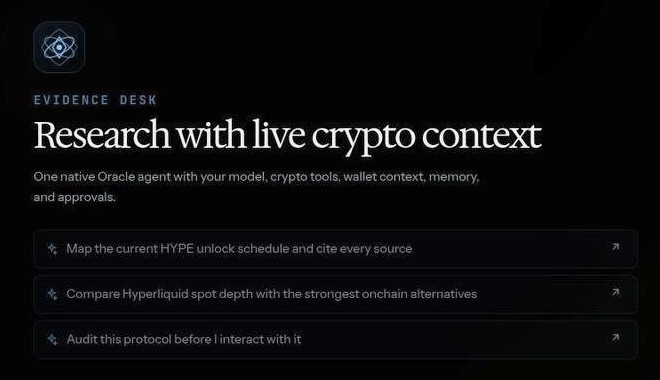
Research
Sourced reads on tokens, wallets and markets. A failed provider is reported as unavailable.
- Token safety, contract risk and launches
- Portfolio, wallet history and risk
- Perps, options, lending and yield
- Governance, Polymarket and NFTs
Research, routes and ready-to-sign transactions on 17 chains, from your terminal, the desktop app or any MCP client.
Desktop app for macOS 0.4.34 (Apple silicon), Windows 0.4.34 and Linux 0.4.34.
Type oracle and ask in plain words. It reads the chain, compares routes and prepares the transaction while you watch.
You ask for the best route to swap 1,250 USDC to ETH on Base. Oracle answers with a single hop through Uniswap v3, expected out 0.4012 ETH at 0.03% price impact, and offers to prepare the unsigned swap for your wallet to review.
The Oracle welcome screen: the orb and wordmark, the local signer status and the model in use.
You ask Oracle to prepare a swap. It prepares one unsigned swap, and when it retries the identical prepare in the same turn, Oracle refuses the duplicate.
Rendered as text by Oracle's own TUI snapshot harness, with its fixed test data: quote values are fixtures, not live prices.
Sign in with Claude, Codex or Grok, use an API key, or run a local model from the CLI.
oracle setup model
One command adds Oracle to your agent. Through MCP it reads and prepares only.
oracle mcp install claude-code
Approve or deny pending transactions from your phone. The approval runs on the signer on your machine.
oracle signer
One agent loop that reads before it proposes and stops at an unsigned transaction until you approve it.
Sourced reads on tokens, wallets and markets. A failed provider is reported as unavailable.
Ranked net of cost, then prepared unsigned so you read them first.
Your wallet signs by default. Or run a local signer whose key never leaves your machine.
oracle sign initRequests follow these five steps, from the CLI, the desktop app, an MCP client or a chat app. Only the last one is yours.
Balances, pools, order books and venue state, read from public RPCs and APIs before anything is proposed.
Quotes from aggregators and direct venues are compared net of fees, gas and slippage, then ranked.
Where the venue supports it, the exact transaction runs in simulation first. A failing simulation stops here instead of guessing.
An unsigned transaction you can read: what you send, what you receive, the cost and the approval it grants.
You approve in your wallet, or your local signer signs only inside your policy. Done means a receipt.
Unattended trading is a separate opt-in and is off by default.
Keys, signer policy and approvalsFrom Hyperliquid, Ethereum and Base to Solana, Bitcoin and Polymarket. Add any EVM chain in a config file; it reads until a verified venue is set.
Marks shown are the protocols with a self-hosted logo, a subset of the catalog.
Every chain and its IDThe CLI and the desktop app need no wallet or NFT to download or run. Oracle charges 5 bps on swaps it routes and a 1 to 2 bps builder fee on Hyperliquid orders.
Locals Only holders pay 0% Oracle fees.